


7 Messages
•
196 Points
Trailer Video Error on Scorecard - this again, I know, but I couldn't find the answer just searching
I've been trying to upload two trailers through ScoreCard but the same message keep showing up on my mac:
"Sorry, your video upload failed. Your upload was interrupted. Please try uploading your video again."
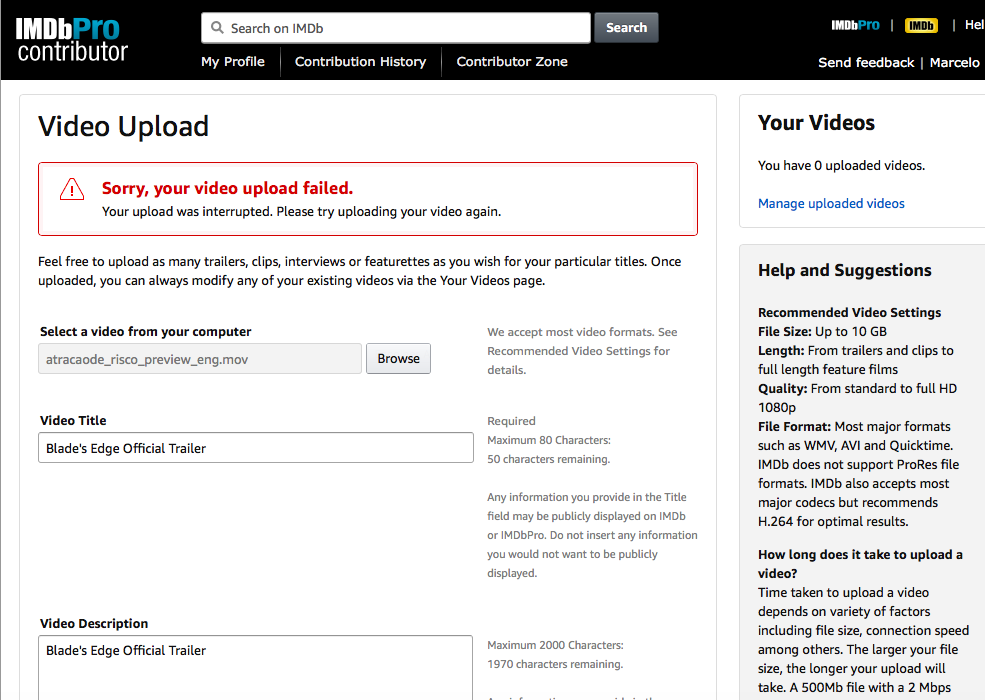
I've read all the guidelines, tried every format ( MP4, WMV, AVI and Quicktime) change size, name , but none of it worked for both of the trailers. The archives are no bigger than 70mb. My internet connection is good and stable here.
Then I moved to a windows, and it was able to go a little further, it upload, and started processing. But this error appears after a few seconds
I tried yesterday the entire day, and this morning and afternoon I did it almost in loop, with different formats and the recommended codec and machines (even different internet connections)
Nothing seemed to help, and I looked for the solution on this forum, but none of the answers helped, most just repeated what is on the guidelines and asked. I also never find cases of people who solved this.
The trailers have been uploaded on youtube, filmfreeway and other places with ease, and they have been exported months apart in different machines, so I assume its not a problem in the original files.
If you solved, please, or if you know or ave any new ideia that is (just try to not repeat the damn guidelines haha)
Thanks!
PS: I'm using a screenshots that I found here in the forum,I couldn't screenshot it, so they're not my films in the images, but they had the same error)
Accepted Solution
GabrielVidal
7 Messages
•
196 Points
5 years ago
Sucesso!
Now the curious thing is that I finally had success to upload the trailer.
The same file worked perfectly fine when I used Chrome, surprisingly, on my smartphone!
I dont know much, but it does not seem to me that this is a problem with the file itself, because with the same archive in different browsers and machines, the process stoped in different steps, either not begnning to upload, or having error during the upload, them in other browsers and OP's, uploading and having error during processing in different steps etc
Well, if you are reading this with the same problem, try to upload using your smartphone haha
0
Michelle
Employee
•
18.2K Messages
•
321.4K Points
5 years ago
Hi GabrielVidal -
Glad to hear the video issue was resolved and the upload was a success!
0